





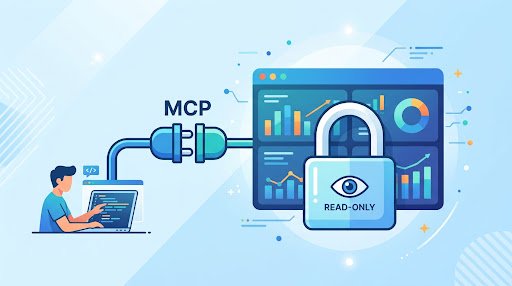
Developers need reliable analytics answers: whether a release changed a metric, which plans are affected by an error pattern, or where an existing dashboard defines a business measure. Connecting an AI assistant to Looker through MCP can reduce the time between a question and a governed answer. It can also create a new route into production analytics if identity, tool scope, and logging are left implicit.
The practical answer is to treat MCP as a constrained analytics access path, not as a general-purpose production-data gateway. Connect approved clients through OAuth, preserve the requesting user’s Looker permissions, expose a small set of read-only tools with validated inputs, and retain an audit trail that explains both the human request and the resulting analytics activity.
This is the core of Looker MCP server security. The assistant may help translate a developer’s question into a tool request, but it must not become a separate, broadly privileged identity. The authorization decision should remain with registered clients, OAuth, Looker access, and deterministic policy checks.
Begin With Looker’s Existing Authorization Boundary
Looker’s managed MCP server is in preview. It connects approved AI agents to a Looker instance through OAuth, and an administrator must register an agent before it can connect. The connection inherits the authenticated user’s existing Looker roles and data access. In other words, the agent does not receive an independent blanket entitlement simply because it can call an MCP tool. Google Cloud’s Looker-managed MCP server documentation
That inheritance model should be the default for interactive developer use. A developer who can already access an approved analytics view can ask an assistant for a related answer. A developer without access to a restricted result should not gain access because the request was phrased in a prompt.
Read-only is necessary, but it is not the full control model. A query that makes no changes can still disclose data that should remain restricted or place unnecessary demand on analytics infrastructure. A workable design applies three separate boundaries:
- Identity boundary: the request is associated with an authenticated person, or with a dedicated service identity for justified non-interactive work.
- Data boundary: Looker roles and the authenticated user’s existing data access determine what a request may return.
- Tool boundary: the assistant can call only named, read-only tools whose arguments and outputs are constrained.
These boundaries reinforce one another. A strict tool schema cannot compensate for a broadly privileged shared identity. User-scoped authorization cannot compensate for a tool that permits unrestricted requests. And a prompt telling the model to be careful is not a replacement for either authorization or input validation.
Use a Small, Governed MCP Surface
The useful design question is not whether an assistant can query Looker. It is which governed questions the organization is prepared to let it answer automatically. Start by inventorying recurring developer questions and map each approved question to a named tool and an approved analytics surface.
A developer-facing MCP integration might expose tools such as:
get_metric_summaryfor an approved metric, a bounded date range, and permitted dimensions.compare_release_windowsfor a defined comparison of two approved time periods.find_dashboardfor discovering dashboards or Looks the user can already access.explain_metric_definitionfor returning a maintained definition and its owner.request_data_accessfor routing an unavailable request to a human owner without returning restricted results.
Each tool should use a strict schema. Allowlist the analytics surfaces it may address, enumerate accepted measures and dimensions, limit date ranges where the team has decided that is appropriate, and cap result sizes. Return compact answers by default. Requests for arbitrary fields, unrestricted filtering, raw records, generated SQL, or exports should not silently fall through to a more powerful interface.
This approach has a security benefit and an operational benefit. It reduces the opportunity for an assistant to use a broad credential in an unintended way, while making the supported questions clear enough to test and review. It also gives the data team a finite surface to own: tool definitions, their allowed arguments, and the approved answers they can produce.
OWASP identifies over-scoped credentials, confused-deputy behavior, prompt injection, and unreviewed tool changes as MCP risks. Its guidance includes least-privilege credentials, strict schemas and input validation, isolated servers, explicit approval for sensitive operations, and central logging of tool calls with user context. OWASP MCP Security Cheat Sheet Those controls are directly applicable to an analytics integration.
Choose the Identity Model for the Workflow
Interactive developer questions and scheduled automation should not be treated as the same access pattern. Looker documents that API credentials belong to a specific Looker user and that API requests run with that user’s permissions. It recommends dedicated, minimal-privilege service accounts for production API work, advises against admin-bound API credentials, and advises against placing client secrets in source code. Google Cloud’s Looker API authentication documentation
| Workflow | Preferred identity | Control objective |
|---|---|---|
| One-off developer analytics question | User-delegated OAuth | Apply the requesting user’s existing Looker roles and data access |
| Internal assistant for approved team metrics | User delegation where available, behind a policy layer | Preserve user access while restricting the available tools |
| Scheduled operational task | Dedicated minimal-privilege service account | Keep automation separate from administrator credentials |
| Restricted request | Named human owner through an established process | Require human evaluation before broader access is granted |
User-delegated OAuth is the stronger default for interactive access because the request remains attributable to the user and Looker applies that user’s existing access. A dedicated service account can be appropriate for a narrowly defined automated workflow, but it should not become a convenient shared identity for interactive requests. That arrangement weakens attribution and can disconnect the result from the human requester’s legitimate access.
Client registration is also a production control. Looker supports OAuth authorization-code authentication with PKCE. Its OAuth setup requires pre-registered clients and matching redirect URIs. Google Cloud’s Looker OAuth documentation The MCP authorization specification likewise calls for HTTPS, PKCE, exact registered redirect URIs, token audience validation, and use of the resource parameter. It warns against token passthrough, in which a token intended for one resource is forwarded to another. It also recommends short-lived tokens to limit the impact of credential exposure. Model Context Protocol authorization specification
For an internal broker or assistant integration, make these requirements part of the deployment checklist: register the client, validate the intended token audience, require the registered redirect URI, and avoid forwarding tokens beyond their intended resource. Keep credentials out of repositories and do not use administrator-bound credentials to simplify setup.
Add a Policy Layer Without Replacing Looker
Looker’s managed MCP server may be sufficient where its supported tools and OAuth flow fit the organization’s needs. An internal MCP broker can still be useful when the organization needs additional controls around request shape, tool use, approvals, and logging. The broker should not attempt to recreate Looker authorization. Its purpose is to reject unsafe or unsupported requests before forwarding an approved request to the analytics connection.
A practical architecture has five responsibilities:
- Developer client: Claude Code or an internal assistant submits a request as an identified user.
- Policy layer: validates the user context, tool name, arguments, and applicable policy, then creates a correlation ID.
- Looker authorization: OAuth and the user’s existing Looker access determine the effective data access.
- Approved query surface: named tools produce answers only for supported analytics questions.
- Central observability: policy decisions and relevant platform activity can be reviewed together.
Keep policy enforcement deterministic. A model can propose a candidate tool request from natural language, but code should validate the final tool name and arguments against named rules. Untrusted text from a repository, ticket, dashboard description, or query result must not be able to expand the allowed tools, override credentials, or alter the policy decision.
A simple risk policy can make the expected behavior explicit. Automatically execute low-risk requests that fit approved aggregate tools and the user’s Looker access. Require a designated human review for requests that exceed the team’s pre-approved boundaries. Deny requests for unsupported or restricted output, then route the developer to the existing access process. This is a policy recommendation, not a substitute for Looker permissions: the integration should still fail closed when an authorization or validation check does not pass.
Keep Client Permissions Narrow
On developer machines, configure the Looker MCP server explicitly and restrict the tools the client may use. Anthropic documents Claude Code MCP configuration and permission controls, including allowed-tool lists and permission modes. Its CLI documentation also identifies the option that skips permission prompts as dangerous. Anthropic’s Claude Code CLI reference
For this use case, do not place Looker query tools under blanket auto-approval. Separate ordinary local development tools from analytics tools that can return business data. A repository search command and an analytics request do not have the same consequence, even when both are technically read-only. A managed internal assistant should enforce the same distinction at the service layer through named tools, explicit grants, and visible request context.
Review tool changes as carefully as credential changes. Adding a tool, widening an enum, raising an output limit, or allowing a new analytics surface changes what the integration can disclose. OWASP’s warning about unreviewed tool changes is especially relevant here because a small schema change can materially expand the accessible data surface.
Make the Audit Trail Usable
A Looker-related audit event and an MCP tool event answer different questions. The tool event can explain who asked the assistant to perform what action and how the broker evaluated it. Platform audit records can provide activity information for relevant cloud resources. Retain enough context to join those views during review or incident response.
For each tool call, record the authenticated human identity, client or assistant identity, MCP server version, tool name, validated arguments or a redacted fingerprint, policy decision, Looker user or service identity, timestamp, result classification, and correlation ID. Do not indiscriminately log returned results: logs can otherwise become a second uncontrolled copy of sensitive information.
Google Cloud Audit Logs record administrative and access activity for Google Cloud resources and distinguish categories including administrative read and write activity and data read and write activity. Those records can support centralized retention, monitoring, and incident response. Google Cloud Audit Logs documentation Use them alongside policy-layer logs, and investigate repeated denials, unexpected request volume, attempts to invoke unknown tools, and requests from unexpected clients.
Implementation Checklist
- Identify the developer questions the integration is meant to answer and the data owners responsible for them.
- Map each approved question to a named tool and a governed Looker answer surface.
- Review the Looker roles and data access that interactive users will inherit.
- Register the AI client and use OAuth protections including PKCE, exact redirect URIs, HTTPS, audience validation, and appropriate resource handling.
- Use user delegation for interactive questions; use a dedicated minimal-privilege service account only for justified automation.
- Implement a small allowlist of read-only tools with typed input schemas and bounded outputs.
- Reject unsupported requests rather than converting them into open-ended analytics access.
- Define a human escalation path for requests outside the approved tool surface.
- Record correlated policy-layer and relevant platform audit events, while avoiding unnecessary result logging.
- Review registered clients, credentials, tool definitions, and audit alerts whenever the integration changes.
FAQ
Does read-only Looker access guarantee that data is safe?
No. Read-only prevents changes, but it does not by itself control what may be disclosed. The effective Looker access, the identity used, the tool schema, output limits, and the escalation process determine whether the path is appropriately governed.
Should every developer receive the same MCP permissions?
No. Interactive use should preserve the existing Looker roles and data access of the authenticated user. The MCP tool surface can remain consistently narrow while results still reflect each user’s authorization.
Can an MCP server use a shared Looker account?
A dedicated minimal-privilege service account may be appropriate for a defined non-interactive production workflow. A shared broad-privilege account is a poor fit for interactive questions because requests should remain tied to the appropriate user access and should be attributable during review.
What should happen when an assistant cannot answer a request?
It should not attempt to work around the restriction. It should return a clear blocked result, avoid exposing partial restricted output, and direct the request to the named human owner or established access process.
Sources
- Google Cloud: Looker-managed MCP server
- Google Cloud: Looker API authentication
- Google Cloud: Looker API authentication using OAuth
- Model Context Protocol: Authorization specification
- OWASP MCP Security Cheat Sheet
- Anthropic: Claude Code CLI reference
- Google Cloud: Audit logging
Editorial note: AI assisted with research and drafting. Sources were selected for verification.

Full-Stack Developer & Solutions Architect · Casablanca, Morocco
8+ years building Java/Spring Boot/Angular enterprise solutions. Former Senior Software Engineer at NTT Data and Satec. Authorized Google Workspace and Microsoft 365 Partner for Morocco.